Social Media Guide
Jan 29, 2026
How to Turn Off Discord Overlay
Learn how to disable the Discord in-game overlay on desktop and mobile, why it turns on automatically for some games, and how to prevent performance and distraction issues.
Jump To
What the Discord Overlay Is
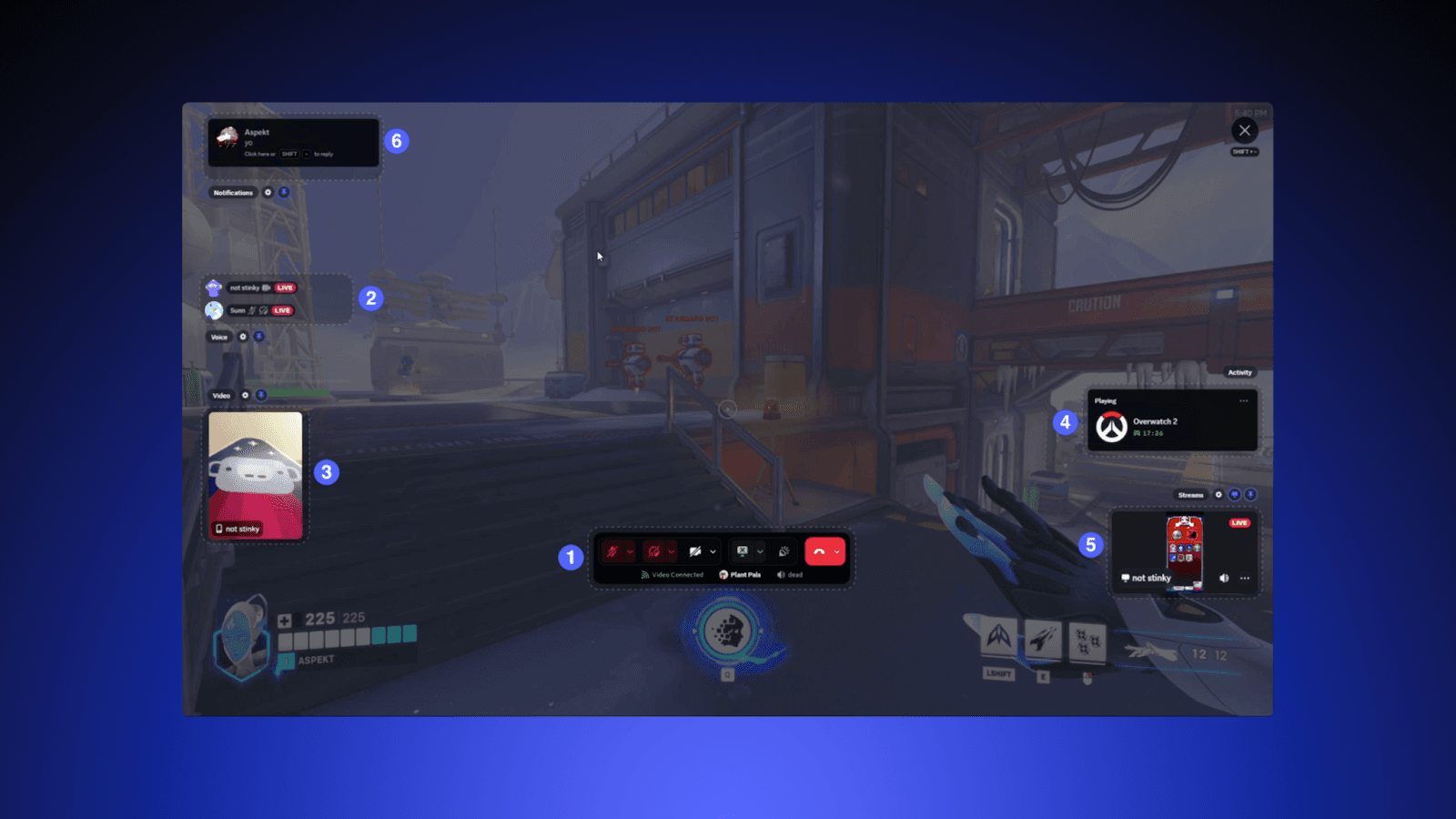
The Discord overlay is a feature that displays messages, voice channels, and notifications on top of full-screen applications, mainly games. It allows users to chat, view server activity, and switch channels without exiting the game.
Why People Turn Off the Discord Overlay
While useful, the overlay can cause performance issues, frame drops, and distraction during gameplay. Competitive players often disable the overlay to reduce clutter and input lag.
Some games are also incompatible with overlays, leading to crashes, resolution bugs, or blocked hotkeys. These issues drive users to search for how to disable the overlay completely.
How to Turn Off Discord Overlay on Desktop
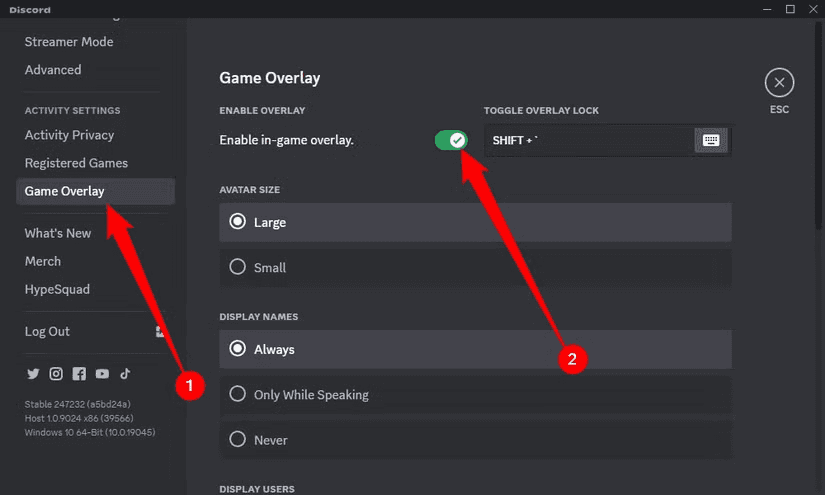
To disable overlay system-wide on PC or Mac:
Open Discord
Click the User Settings icon
Scroll down to Game Overlay
Toggle Enable in-game overlay to off
Once disabled, the overlay will no longer appear in any game or application.
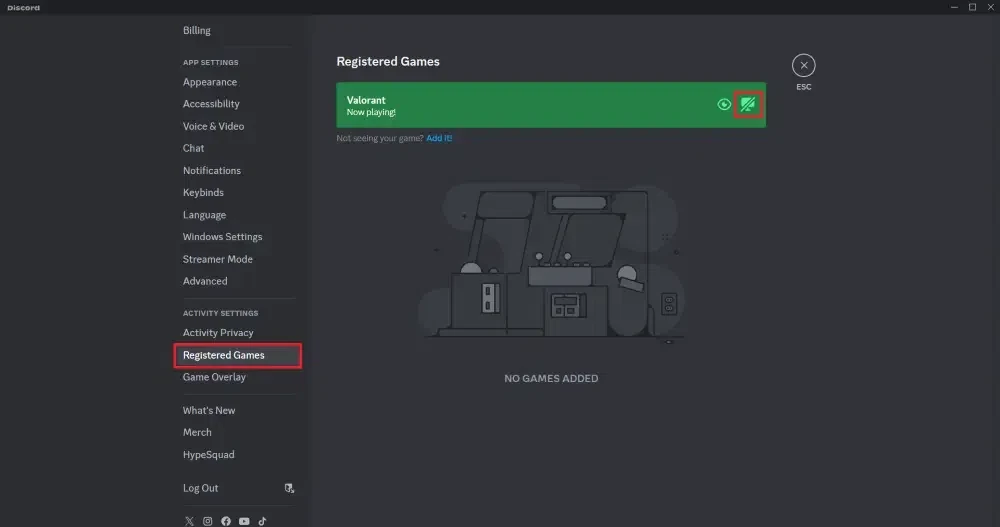
How to Disable Overlay for Specific Games
Discord also allows overlay control per-game:
Open User Settings
Go to Activity Settings
Click Registered Games
Toggle the overlay off for specific titles
This is useful if you only want the overlay disabled for competitive games or resource-heavy titles.
How to Disable Overlay on Mobile
On iOS and Android, Discord uses a floating bubble instead of a full in-game overlay. To disable:
Open the Discord app
Tap your profile icon
Go to Voice & Video
Disable Mobile Overlay or Floating Widget
Mobile users typically disable overlays to prevent screen obstruction during gameplay or streaming.
Troubleshooting Overlay Issues
If the overlay appears even when disabled, update Discord or restart your system. Certain graphics drivers can force overlays through caching, especially after GPU driver updates.
If the overlay has graphical issues, switching games to windowed borderless mode often resolves display conflicts.
FAQ
Why does Discord overlay turn on automatically?
Some games register automatically in Discord and enable overlay by default.
Why can’t I see overlay options?
Update Discord — older builds may hide or lack overlay settings.
Does disabling overlay improve FPS?
It can in some games, especially competitive shooters or older hardware.
Can you disable only voice overlay?
Yes, voice controls can be disabled per game or globally.