Social Media Guide
Jan 9, 2026
How to Delete a Discord Server
Learn how to delete a Discord server permanently, how ownership affects deletion, and how to delete servers from both mobile and desktop versions of Discord.
Jump To
Can You Delete a Discord Server?
Yes. A Discord server can be deleted permanently as long as you are the server owner. Moderators, admins, or users with custom roles cannot delete the server unless ownership is transferred to them.
Deletion removes all channels, messages, roles, permissions, and member lists, making it impossible to recover the server afterward. Many users search for “delete Discord server permanently” when they want to remove inactive or unused communities.
How to Delete a Discord Server on Desktop
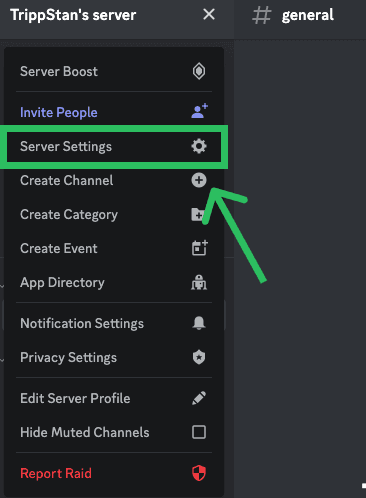
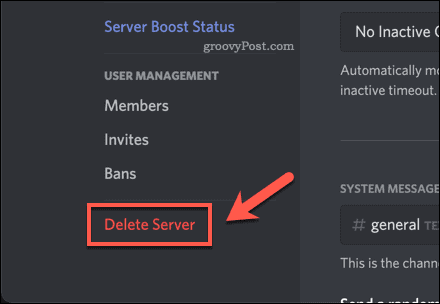
To delete a Discord server on PC or desktop:
Open Discord
Right-click the server you want to delete
Click Server Settings
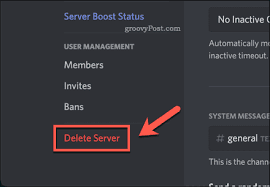
Scroll down to Delete Server
Confirm deletion and enter your 2FA code if required
Once completed, the server is immediately removed and no longer appears in your server list. This is the standard method used for most desktop Discord server deletion workflows.
How to Delete a Discord Server on Mobile
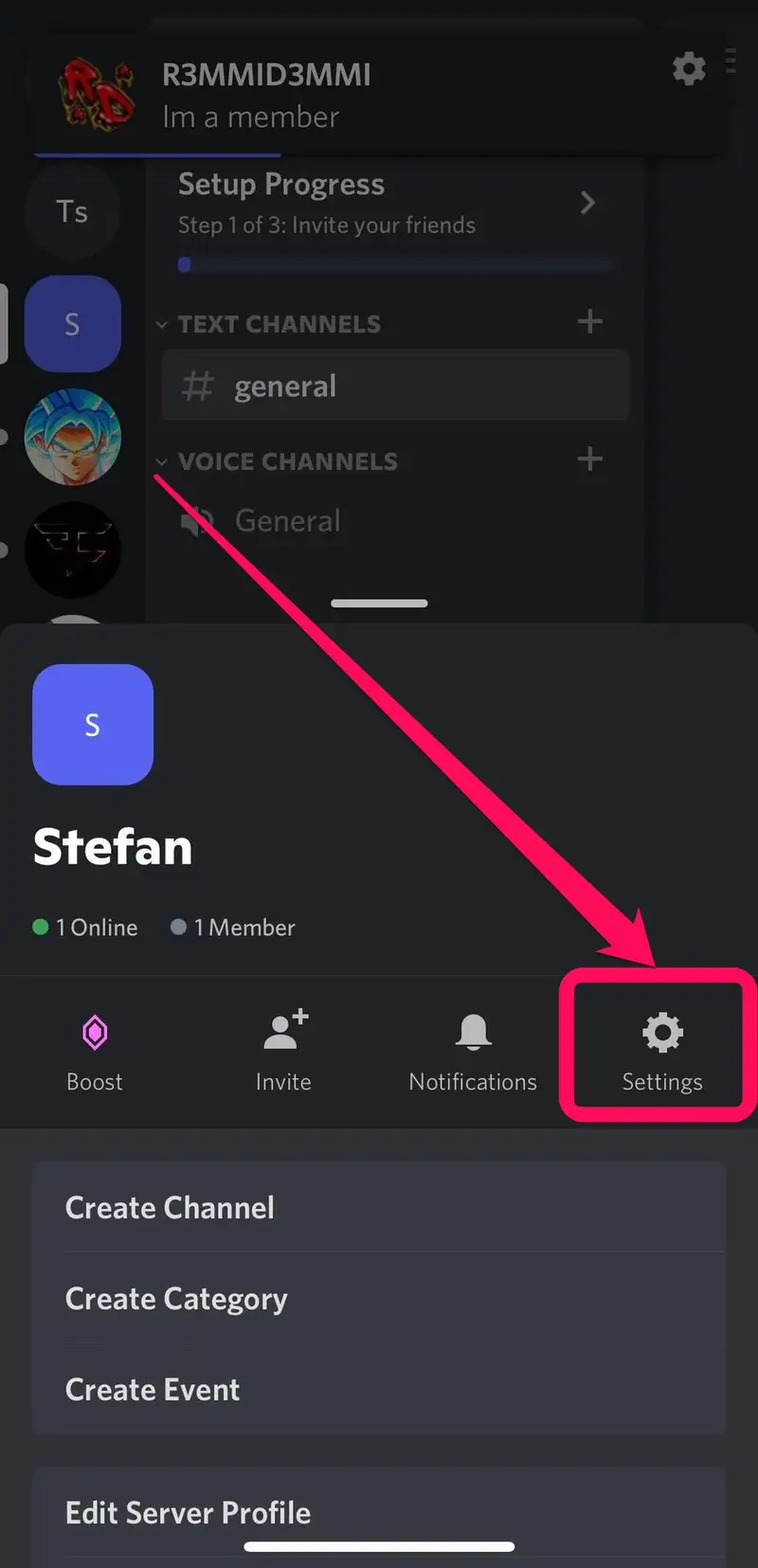
Deleting a Discord server on iOS or Android requires similar steps:
Open the Discord app
Tap the Navigation Menu
Hold or tap the server icon
Select Settings
Scroll to Delete Server
Confirm the deletion
Mobile deletion is common for users who only moderate from their phone and search for “delete Discord server on mobile” for specific instructions.
Transferring Ownership Before Deletion
If you no longer want the server but do not want it deleted, you can transfer ownership instead. This works for communities that are still active but no longer align with your interests.
To transfer ownership:
Go to Server Settings
Select Members
Choose a new owner
Click Transfer Ownership
This keyword is tied to queries like “transfer Discord server ownership” and “give someone ownership on Discord”, which are common among community admins.
Disabling vs Deleting a Server
Discord does not include a traditional “disable server” feature, but users sometimes remove channels, roles, and invites to make a server inactive without deleting it.
This method is often used by moderators who are unsure whether they want to delete the server permanently. Searching “disable Discord server” or “make a Discord server inactive” typically comes from users who want a pause option.
When You Should Delete a Server
Deleting a server makes sense when:
Activity has stopped
Ownership cannot be transferred
The server no longer fits its original purpose
Private or sensitive content needs to be removed permanently
For smaller servers, deletion is often easier than leaving it abandoned or unmoderated.
FAQ
Can admins delete a Discord server?
No. Only the server owner can delete a server.
Can you recover a deleted Discord server?
No. Deletions are permanent.
What if I’m not the owner?
You must transfer ownership or leave the server.
Can deleting remove all server data?
Yes. All channels, roles, and messages are permanently removed.