Social Media Guide
Jan 5, 2026
Discord Timestamp: What It Is and How to Use It
Learn what a Discord timestamp is, how it works, and how to generate Discord timestamps easily using a custom timestamp generator for messages, events, and reminders.
Jump To
What Is a Discord Timestamp?
A Discord timestamp is a special formatting code that automatically displays a date and time in a user’s local timezone. Instead of manually typing a time, Discord converts the timestamp so every user sees the correct time based on their location.
This makes Discord timestamps extremely useful for global servers, events, announcements, and reminders where users are spread across different time zones.
How Discord Timestamps Work
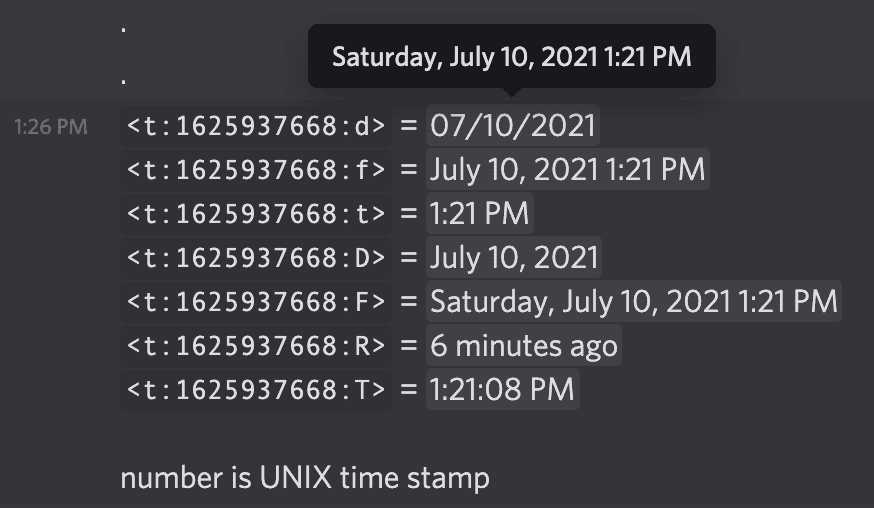
Discord timestamps are created using Unix time, which represents the number of seconds since January 1, 1970. Discord reads this value and formats it into a readable date and time for each user.
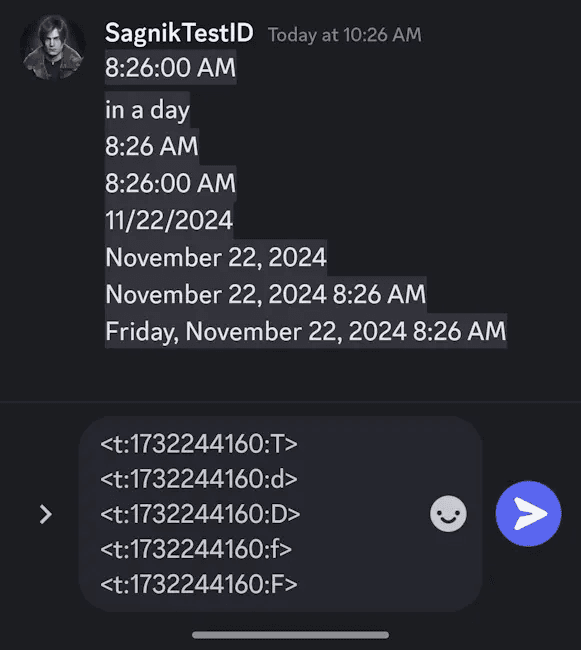
The timestamp is wrapped in a special tag that tells Discord how to display it. Depending on the format used, timestamps can show the full date, just the time, or even relative time like “in 2 hours” or “3 days ago.”
Because Discord handles the conversion automatically, users never have to calculate time differences themselves.
What Discord Timestamps Are Used For
Discord timestamps are commonly used for scheduling and coordination. Server owners often use them for:
Event start times
Game nights and tournaments
Stream announcements
Deadlines and reminders
Moderation logs
They are also helpful in automated messages sent by bots, where consistent time formatting is important. Using timestamps prevents confusion and reduces follow-up questions about time zones.
How to Generate a Discord Timestamp
While it’s possible to manually calculate Unix time, most users rely on a generator to avoid mistakes.
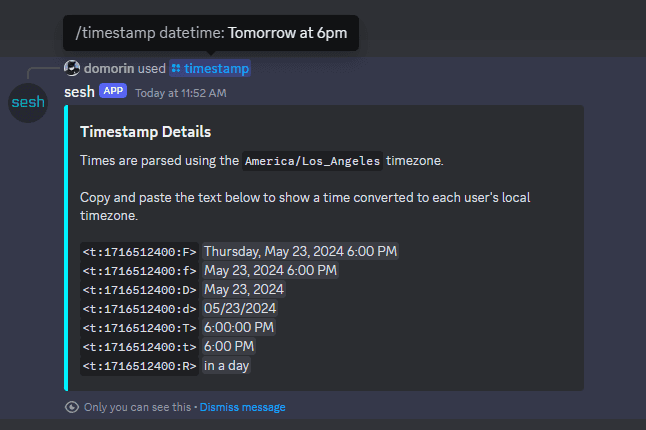
A Discord timestamp generator allows you to:
Select a date and time
Choose the display format
Instantly copy the correct Discord timestamp code
Once generated, you simply paste the timestamp into a Discord message, and Discord handles the rest. This is faster, more accurate, and far less error-prone than manual formatting.
Why Use a Discord Timestamp Generator
A custom Discord timestamp generator removes all guesswork. Instead of calculating Unix time or memorizing formatting syntax, the tool generates the exact code you need in seconds.
This is especially useful for server admins, event hosts, and developers who regularly post time-based messages. A generator ensures timestamps are consistent, accurate, and readable across all devices and regions.
For pages like this one, the generator becomes a practical utility rather than just informational content.
Common Mistakes With Discord Timestamps
One of the most common mistakes is using the wrong timestamp format, which can cause Discord to display incorrect or unintended output.
Another issue is pasting timestamps without testing them. Previewing a timestamp before sending it ensures it displays correctly and avoids confusion.
Using a generator helps eliminate these errors by handling formatting automatically and providing ready-to-use output.
FAQ
What is a Discord timestamp?
It is a special time format that automatically adjusts to each user’s local timezone.
Do Discord timestamps work on mobile?
Yes. They display correctly on desktop, mobile, and web versions of Discord.
Can I use Discord timestamps in embeds or bot messages?
Yes. Timestamps work in regular messages, embeds, and bot-generated content.
Why not just type the time manually?
Manual times don’t adjust for time zones. Discord timestamps ensure everyone sees the correct time.