Social Media Guide
Jan 13, 2026
Discord Reactive: How to Make Your Avatar React in Voice Chat
Learn how to set up a “Discord reactive” avatar that changes, moves, or lights up when you talk in voice chat, and how creators use reactive PNGs for streaming and collaboration.
Jump To
What Is a Discord Reactive Avatar
A Discord reactive avatar is a static or animated image that reacts when you speak in a voice channel. The most common setup makes the avatar light up, pulse, bounce, or switch images while you’re talking.
Streamers use reactive avatars to show who is speaking in group calls, especially during collabs. Unlike webcams, reactive PNGs are simple, light, and require no advanced hardware.
How Discord Reactive Images Work
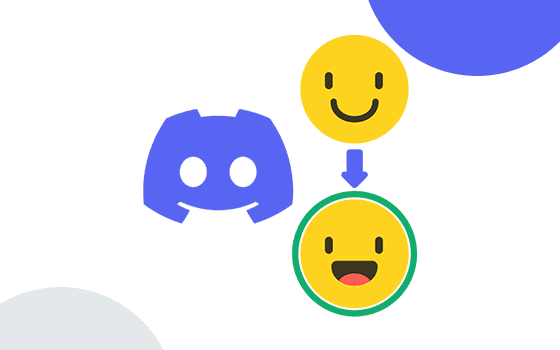
Reactive avatars use Discord’s voice activity to trigger a visual change. Most setups rely on two images:
Idle image — when you’re not talking
Talking image — when your mic activates
Tools read Discord’s voice state and switch between the images in real time. This works for both push-to-talk and voice activity.
Because it uses voice states rather than full video, reactive avatars are lightweight and do not affect game performance.
How to Make a Discord Reactive Avatar
Creating a reactive avatar typically involves four steps:
Prepare two PNG images
One idle, one talking. Many creators use stylized or cartoon versions of themselves.Upload images to a reactive tool
Tools like Reactive Images or VTube utilities handle switching.Connect Discord voice
You must be in a voice channel or DM call for the system to track your mic.Overlay the output into OBS (optional)
Streamers add the reactive layer to their scenes for collabs.
For non-streamers, reactive avatars work directly in Discord voice for visual flair.
Best Tools for Discord Reactive Images
Popular tools for reactive avatars include:
Reactive Images (Fugi Tech)
The most widely used tool for reactive PNG setups. Allows custom talking/idle states.
VTube Studio / Veadotube Mini
Common in VTuber communities for layered animation.
Discord Avatar Overlay Bots
Some bots provide basic reactive visuals directly in Discord.
Each tool offers different visual styles, so creators choose based on aesthetic and complexity.
How Streamers Use Reactive PNGs
Reactive avatars are extremely popular in Twitch and YouTube streams where multiple creators collaborate. Instead of webcams, each participant has a talking PNG that activates during dialogue.
This makes streams visually cleaner, reduces webcam anxiety, and helps viewers identify speakers instantly. It’s especially common in VTuber, gaming, and podcast-style content.
Reactive systems can also be combined with animated GIFs or layered assets for more advanced expressions.
Troubleshooting Discord Reactive Avatars
If your reactive PNG doesn’t trigger, common solutions include:
Check if Discord is picking up mic input
Disable noise suppression temporarily
Ensure the reactive tool is linked to the correct Discord user
Rejoin the voice channel to refresh states
Avoid using push-to-talk with some tools
If using OBS, browser source permissions must be allowed for audio monitoring in some cases.
FAQ
Can you make a reactive avatar without streaming?
Yes. It works in Discord voice channels without OBS.
Can reactive avatars animate smoothly?
Most tools support static PNG switching, but some allow full animations.
Do reactive avatars need Nitro?
No. Nitro is not required for reactive images.
Can multiple people use reactive avatars in one call?
Yes. Many collab streams use this setup.